
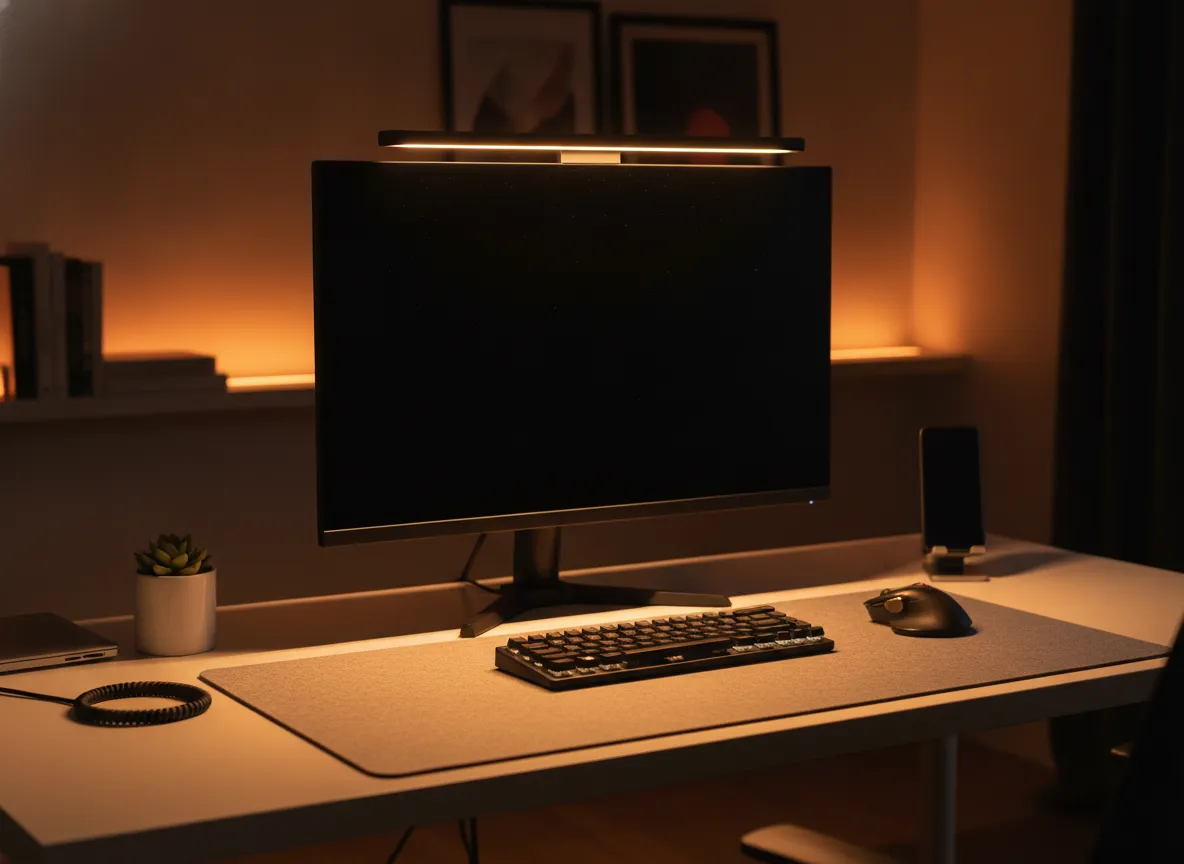
The Best Monitor Light Bars for Home Office in 2026, Reviewed & Compared
Disclosure: As an Amazon Associate I earn from qualifying purchases. This page contains affiliate links. If you buy through them we may earn a commission at no extra cost to you — it never affects which products we recommend. How we review
Monitor light bars mount on the display and shine asymmetrically across the desk without consuming surface space—different from architect-style clamp lamps that grip the desk edge. BenQ ScreenBar Halo 2 is the premium monitor-mounted pick: front asymmetric optics, rear ambient backlight, wireless dial control, 2700K–6500K color temp, and a clamp range for flat and many curved panels. Reviewers often cite less eye strain versus desk lamps, but the dial uses replaceable batteries and cost is several times basic USB bars.
The Pzloz listing is not a monitor bar—it is a 24W LED desk lamp with clamp mount, flexible arms, five color modes, and a wireless remote. It illuminates dual-monitor setups from the side and needs sturdy desk-edge thickness, but it does not hang on the bezel. The budget USB monitor bar is an 11.8-inch clip-on with three color temperatures, USB power, and counterweight mounting—adequate for tight budgets if bezel thickness fits and you accept basic build quality.
Our top picks at a glance
- 1BenQ ScreenBar Halo 2Premium Pick
- 2Pzloz LED Desk Lamp with ClampBest Value
- 3Monitor Light Bar (USB)Budget Pick
The reviews
BenQ ScreenBar Halo 2
BenQ ScreenBar Halo 2 adds asymmetric front light, rear ambient backlight, a wireless dial, and auto on/off for monitor setups that need glare-free desk illumination.
What we like
- Asymmetric front light designed to avoid screen glare
- Rear backlight reduces wall/screen contrast
- Wireless dial with brightness and color temp control
What to watch
- Wireless controller uses replaceable batteries
- Clamp range still may not fit every monitor bezel
- Costs several times more than basic USB bars
Best for: All-day monitor work with eye strain concerns, Curved or ultrawide desks needing even light, Users who want backlight plus front bar in one
Pzloz LED Desk Lamp with Clamp
A 24W architect-style clamp lamp with 5 color modes — illuminates dual monitors. Built for long sessions.
What we like
- 24 W LED with 5 color temps and 5 brightness levels
- 360° arm adjustability with rotatable head
- Wireless remote for mode and brightness changes
What to watch
- Clamp requires sturdy desk edge thickness
- Some buyers report faulty remotes on arrival
- Larger footprint than slim monitor light bars
Best for: Dual-monitor desks needing wide illumination, Drafting, study, and sewing tables, Users who prefer clamp lamps over monitor bars
Monitor Light Bar (USB)
An 11.8 inch USB-powered monitor light bar with three color temperatures, memory dimming, and a counterweight clip for budget glare-free desk lighting.
What we like
- 11.8 in bar mounts via counterweight clip
- USB powered from PC or adapter
- Three color temperatures with dimming memory
What to watch
- Plastic build feels budget compared with BenQ-class bars
- Clip may not fit very thick monitor frames
- Touch/switch controls only—no wireless dial
Best for: Tight budgets upgrading from desk lamps, Single monitors with compatible bezel thickness, USB-powered minimal desk setups
Compare these head-to-head
Frequently asked questions
Is the Pzloz product a monitor light bar?
No. The Pzloz is an architect-style clamp desk lamp with flexible arms and a rotatable head—not a monitor-mounted bar. It frees central desk space via the clamp but uses desk-edge real estate and is not designed to clip onto a display bezel like the BenQ or USB bar.
What does BenQ Halo 2 add over a USB bar?
Halo 2 combines asymmetric front light, rear backlight, ambient-light sensing, stepless brightness and color temperature, and a wireless dial. The budget USB bar offers three color temps, mechanical controls, and no rear glow or wireless controller—at a fraction of the cost with typical budget fit and durability trade-offs.
Will a clip bar fit my monitor?
BenQ lists clamp fit for 0.17 to 2.36 inch thick screens including many curved models. The generic USB bar uses a counterweight clip that reviewers say may not fit very thick TV-style bezels. Measure bezel thickness before buying any clip-on design.
Keep reading
Home Office Setup Checklist: 6 Upgrades in Order of Impact
First home office? Buy in this order—desk, chair, monitor, lighting, keyboard and mouse, then cable management—for the biggest comfort gain per dollar.
WFH Essentials for New Remote Workers: First-Month Checklist
New to working from home? Start with webcam, keyboard, mouse, footrest, USB-C dock, and basics that make video calls and daily typing less painful.
Video Call Setup Checklist: 6 Steps for Clear Picture & Sound
Video call setup checklist: webcam placement, face lighting, framing, mic basics, background control, and a tidy desk so you look sharp on Zoom and Teams.
Looking for something else?
We refresh prices weekly and publish new reviews every week.